Universal Media Downloader
Download videos, audio, images, and livestreams while browsing the web
 Add to Chrome
 Add to Edge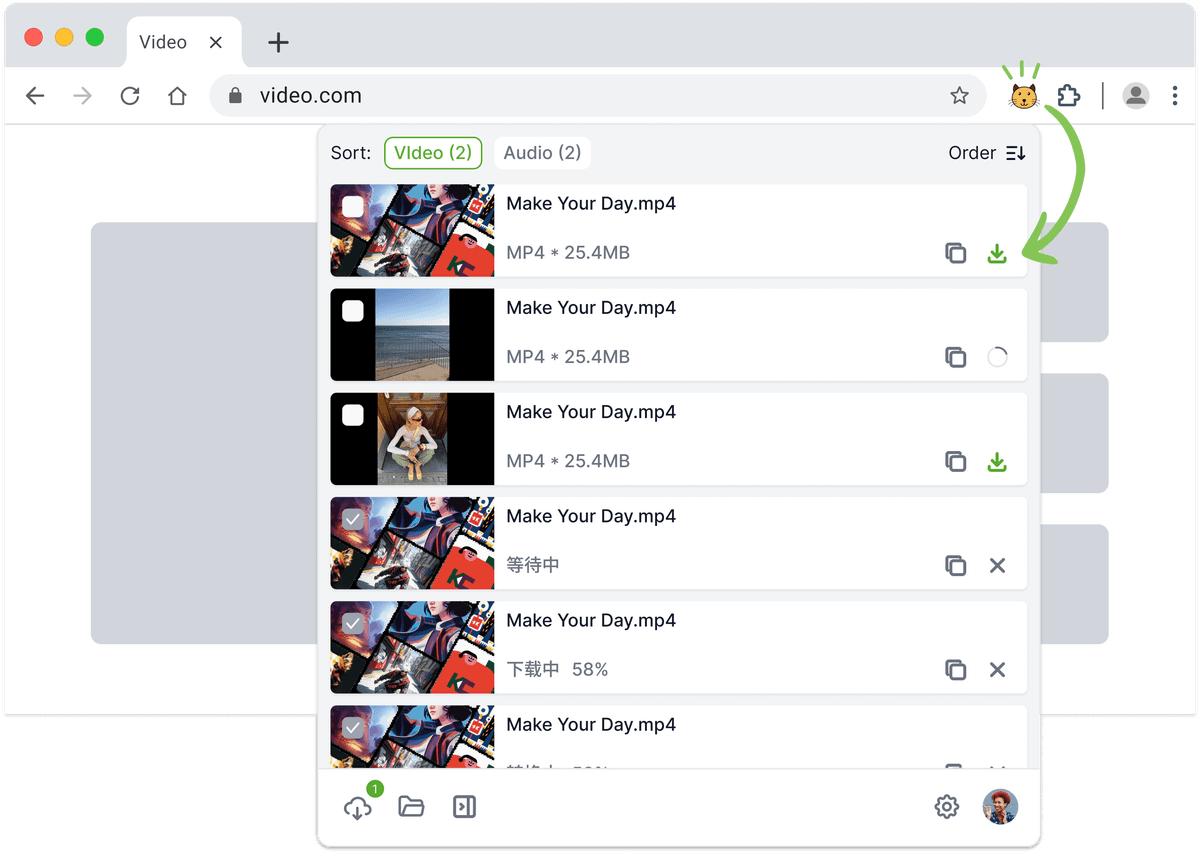
Collect Web Media More Efficiently
Automatic Media Detection
Automatically detects videos and audio on webpages as you browse, no need to copy links manually.
Unified Media List
Collects all detected media into a clean, structured list for easy viewing and selection.
Multiple Formats & Quality Detection
Identifies media in different formats and quality levels to fit various usage needs.
Quick Image Actions
Detects images on webpages and allows quick preview and one-click saving.
Desktop App Collaboration
Works together with the desktop app to handle long videos, large files, and livestreams more reliably.
Simple & Lightweight Experience
No complicated setup required—open a page and start discovering media instantly.
Frequently Asked Questions
Universal Downloader automatically detects playable video and audio content on a webpage—especially useful when a direct link can't be extracted. Unlike Video/Image Downloader that require copying and pasting a media URL, this feature works by simply opening the page; the system will then automatically scan and display downloadable resources. It's easier to use and works across a wider range of websites.
Yes. It supports live stream detection from platforms like TikTok Live. Just open the live stream link, and the system will automatically recognize the stream.
Click the "Download" button in the detected result to start recording. You can click "Stop" at any time to end the recording and save the segment as an .mp4 file. If the live stream is still ongoing, simply click"Download" again to continue capturing the remaining content.
Some websites use advanced encryption or proprietary formats to protect media content. In such cases, Universal Downloader may not be able to detect the video. We're continuously improving compatibility, and you can also try using our "Video/Image Downloader" as an alternative.
It's likely due to unsupported video codecs. For example, some MP4 files use the HEVC (H.265) codec, whichisn't compatible with all media players. We recommend using VLC Media Player, which supports a wide range of video formats.